Command palette
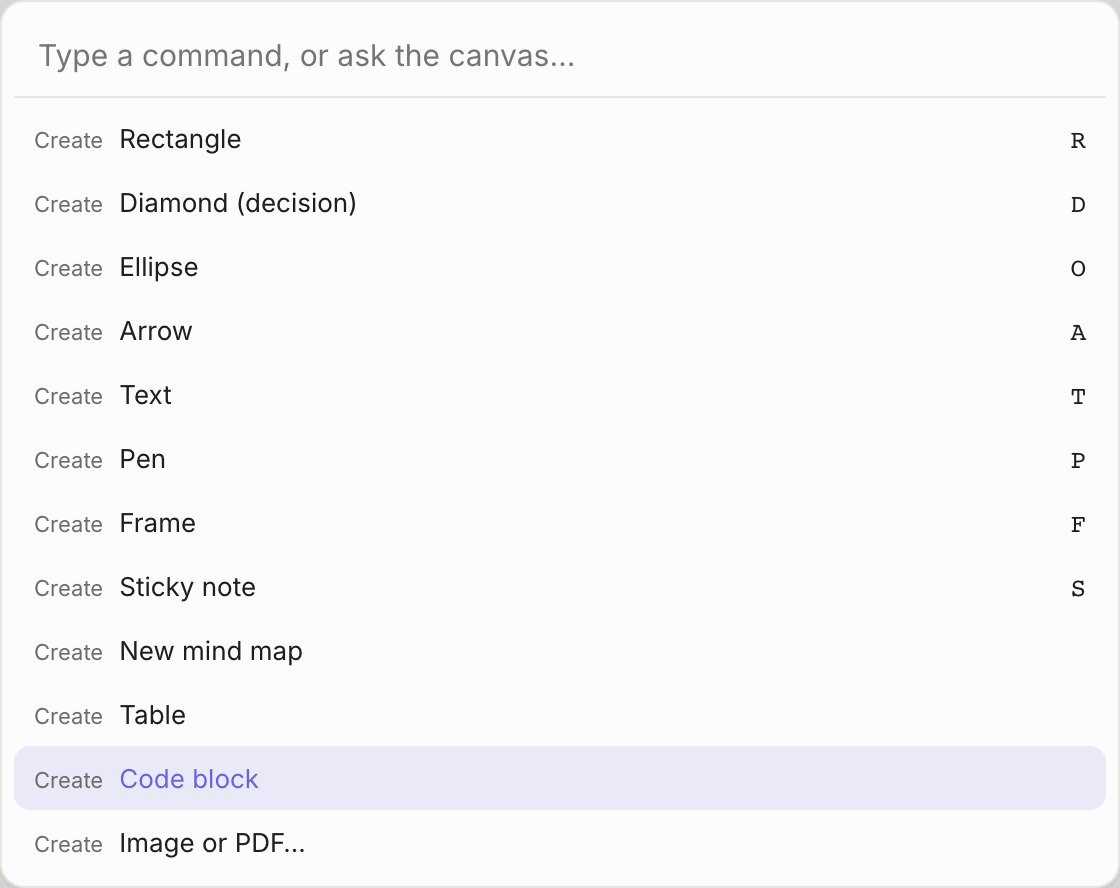
Press ⌘K and start typing. The list narrows as you type, matching any part of a command's name. Use ↑ ↓ and
Enter, or Esc to close.
![The command palette]()
If what you type isn't a command, the last entry is Ask the canvas: "…". Choose it to send your text to Smart
Assist chat.
Some commands appear only when they apply, for example when boxes are selected.
Create
| Command | Shortcut |
|---|
| Rectangle | R |
| Diamond (decision) | D |
| Ellipse | O |
| Arrow | A |
| Text | T |
| Pen | P |
| Frame | F |
| Sticky note | S |
| Icon: server, database, cloud, Docker… | I |
| New mind map | |
| Table | |
| Code block | |
| Image… | |
Link
| Command | Shortcut | Shown when |
|---|
| Link mode (tap nodes to chain) | K | |
| Link selected in order | L | Boxes are selected |
| Link all selected to the first | ⇧L | Boxes are selected |
Select
| Command | Shortcut | Shown when |
|---|
| Select downstream | | Boxes are selected |
| Select upstream | | Boxes are selected |
| Select connected (whole flow) | | Boxes are selected |
| Select all | ⌘A | |
Edit
| Command | Shortcut | Shown when |
|---|
| Tidy up (the selection, or the whole page) | ⇧T | |
| Mind map on/off for this box | | One box is selected |
| Delete and reconnect (bridge) | ⇧⌫ | Boxes are selected |
| Duplicate | ⌘D | Something is selected |
| Group | ⌘G | Something is selected |
| Ungroup | ⌘⇧G | Something is selected |
| Lock / unlock | ⌘⇧L | Something is selected |
| Bring to front | ⌘⇧] | Something is selected |
| Send to back | ⌘⇧[ | Something is selected |
Smart Assist
| Command | Shortcut | Shown when |
|---|
| Ask the canvas… | / | |
| Improve selected boxes | ⌘I | Boxes are selected |
| Check diagram | | |
| Find missing links | | Boxes are selected |
| Suggest next steps | | Boxes are selected |
| Make a diagram from this note | | One note that looks like a list is selected |
| Convert sketch to shapes | | Pen strokes are selected |
| Mode: Suggest | | |
| Mode: Auto-draft | | |
| Mode: Off | | |
View
| Command | Shortcut |
|---|
| Present frames as slides | |
| Zoom to fit | ⇧1 |
| Reset zoom | ⌘0 |
| Theme: dark / light / system | |
| Pen: snap drawings to shapes when you lift / keep drawings as drawn | |
| Background: dots / grid / lines / none | |
| Performance HUD | F8 |
Panels, board and export
| Command | Shortcut |
|---|
| Search | ⌘F |
| Layers | |
| Version history | |
| New page | |
| New board | |
| Save a version now | |
| Export PNG | |
| Export SVG | |
| Export editable SVG (.kelvo.svg) | |
| Export editable PNG (.kelvo.png) | |
| Copy as PNG | ⌘⇧C |
| Export .kelvo backup | |