HEART metrics framework template
Google's HEART framework for UX metrics: goals, signals and metrics for happiness, engagement, adoption, retention and task success.
Use this templateFree, opens in your browser. No sign-up.
What's on the board
- How to use it
- Pick the 2–3 categories that matter for this feature · Write goals before metrics, never the other way round · Track each metric by cohort, not just totals · Pair every metric with a guardrail
Table columns: HEART, Goal, Signal, Metric, Target.
Also on the board
- 1. Goals: what are we trying to achieve?
- 2. Signals: what user behaviour shows it?
- 3. Metrics: how do we count it?
- Feature: team workspaces in a planning app
How to use this template
- Click Use this template. It opens in the Kelvo app as a new board, saved in your browser.
- Double-click any box to change its text. Replace the examples with your own content.
- Add notes fast. Press S for a sticky note in the middle of your view. A sticky is a box like any other: link it, recolour it, resize it.
- Paste a table. Paste comma- or tab-separated text and it becomes a table. Tab moves to the next cell and adds rows as you go.
- Let Smart Assist draft the next step. Turn on Suggest, finish a label and pause: the next steps appear as dashed ghosts. Tab keeps them, Esc dismisses them.
Good for
- heart framework
- metrics
- ux
- product manager
- kpi
- Planning a quarter or a release
- Prioritising a long backlog with a shared method
- Connecting outcomes to the work that should move them
Related templates
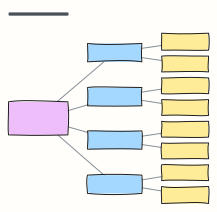 North Star metric tree
Break your North Star metric into input metrics a team can move, and the levers behind each one.
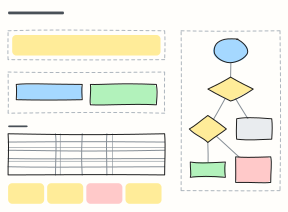 A/B test plan
Plan an experiment before it runs: hypothesis, variants, primary and guardrail metrics, sample size and the decision rules.
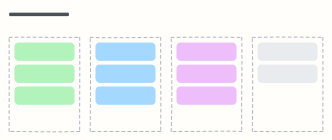 Now / Next / Later roadmap
An outcome-based product roadmap without fake dates: what we're doing now, next, later, and what we're not doing.
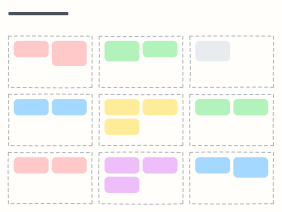 PRD one-pager
A product requirements doc on one board: problem, goals, non-goals, users, requirements, metrics, risks and timeline.
 User persona
A one-page portrait of a key user: who they are, what they want, what gets in their way.
 Empathy map
Capture what a user says, thinks, does and feels, plus their pains and gains, after interviews.