An end-to-end encrypted whiteboard
Kelvo is a hand-drawn whiteboard for diagrams that keeps your boards on your device, encrypts every board it syncs before it leaves, and, with private mode, locks the keys with a passphrase only you know.
Start drawing, freeNo sign-up. Works in your browser.
How your boards are kept
- On your device first. Every board is saved in your browser as you draw, and works offline. A board you don't sync never leaves it.
- Encrypted before it's sent. A board you sync or share is encrypted on your device with a key made for that board (AES-256). The sync server stores and passes on bytes it can't read, pictures and live pointers included.
- Private mode (Pro+): only you hold the keys. Normally a board's key is kept with your account, so signing in is all a new device needs. With private mode on, those keys are locked with your passphrase first: no one can open your synced boards without it or your recovery key. Each new device asks for the passphrase once.
- Share links carry the key themselves. The key sits after the
#of the link, a part of an address browsers never send to a server. Anyone you send it to can open the board; Reset link gives it a new key.
Drawing together, still private
Live collaboration works the same with or without private mode: everyone's pointer with their name, what they select, following someone's view, and edits made at once or offline merged. On Pro, choose who gets in: view-only links, invitations by email, and removing someone from the board. The people you share with don't need Pro+.
What isn't covered
- Board names and your account. The names of synced boards are kept with your account so your list appears on a new device, along with your email and plan. The boards themselves aren't readable.
- Smart Assist, when you turn it on. It sends a short text summary of the boxes near the one you're working on to the AI. It's off until you turn it on. What it sends, feature by feature.
- A forgotten passphrase. Without the passphrase and the recovery key, your boards in the cloud can't be opened by anyone, us included. The copies already on your devices keep working.
Start drawing, freeFree to start, no sign-up. Private mode is part of Pro+.
Questions
Is Kelvo end-to-end encrypted?
Every board you sync or share is encrypted on your device before it is sent, and the sync server can't read it. Without private mode, each board's key is kept with your account so a new device can open it after you sign in. With private mode (Pro+), those keys are locked with a passphrase only you know: no one can open your synced boards without it or your recovery key.
What happens if I forget my passphrase?
Unlock with your recovery key, shown once when you turn private mode on, and choose a new passphrase. Without both, your boards in the cloud can't be opened; the copies on your devices keep working and can be exported.
Do the people I share a board with need Pro+?
No. A share link carries the board's key, so anyone you send it to can open the board on any plan. People you invite by email also need the link from you, since an invitation can't carry the key.
Start from a template
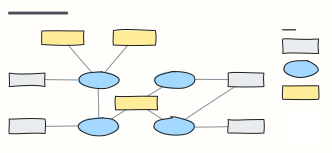 Data flow diagram (DFD)
A level-1 DFD: external entities, numbered processes, data stores and the data that flows between them.
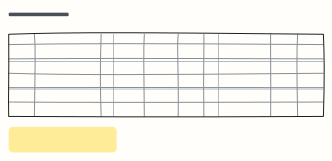 Risk register
Each risk with likelihood, impact, score, mitigation, owner and status, sorted so the biggest risks get attention.
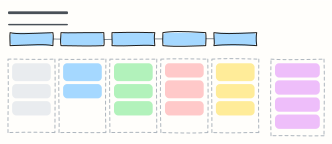 User interview guide
A 45-minute discussion guide: intro, warm-up, core questions and wrap-up, with reminders for the interviewer.
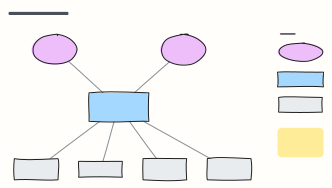 C4 system context diagram
C4 level 1: the system in scope, the people who use it and the external systems it depends on, with a legend.