A free flowchart maker that drafts the next step
Kelvo is a hand-drawn whiteboard built around boxes and the links between them, which is exactly what a flowchart is. It runs in your browser, needs no account, and saves every change to your device as you go.
Start drawing, freeNo sign-up. Works in your browser.
Make a flowchart in four moves
- Press R and click to place a box. Type Start and press Enter.
- Press Tab: the next box appears to the right, already linked. Type its label. Repeat for each step.
- For a decision, use a diamond (D). Link two boxes by dragging one of the dots on a box's edge onto the other box.
- Click a link to change its route (elbow, straight or curved), add a label such as “yes”, or reverse it.
Decisions with both branches
A decision diamond is offered a “yes” and a “no” branch for any it's missing. That suggestion runs on your device, instantly, even with AI turned off. If a decision still ends up with only one way out, an orange badge points it out and offers to add the missing branch.
From a list to a flowchart
Already have the steps written down? Put one step per line in a sticky note, or write A -> B -> C, select it and click Make diagram. Smart Assist proposes the flowchart next to your note; Tab keeps it. Notes that start with a Mermaid keyword such as flowchart work too.
With Smart Assist on, pausing after a label drafts the step that usually comes next as dashed “ghost” boxes. Nothing is added unless you accept it. How Smart Assist works.
Links that stay attached
Links are real connections between boxes, not loose arrows. They follow when you move, resize or copy boxes, and deleting a box in the middle of a chain can keep the chain connected. Every way to link boxes.
Export, present, keep working offline
Save the whole board as a .kelvo file, or, with a free account, export a page as PNG or SVG or copy it to the clipboard as an image. Frames turn into slides when you present. Once loaded, the app keeps working without a connection.
Questions
Is this flowchart maker really free?
Yes. Every drawing tool is free without an account. PNG and SVG export need a free account; the .kelvo backup works for everyone. AI suggestions have a daily allowance; on-device suggestions, such as yes/no branches for decisions, are unlimited.
Can I export my flowchart?
Yes. Anyone can save a .kelvo file with every page of the board. With a free account you can also export the page as a PNG or SVG image, or copy it to the clipboard as a PNG.
Start from a template
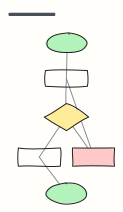 Basic flowchart
Start, steps, a decision with yes/no branches, and an end — the classic shape to build from.
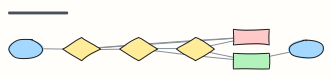 Approval workflow
A request moves through manager and finance approval, with rejection and rework loops.
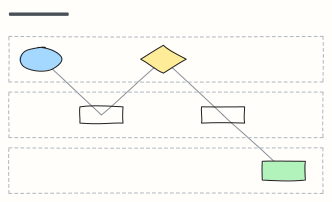 Swimlane process
Who does what: one lane per team, with hand-offs between Customer, Sales, and Operations.
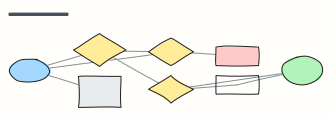 Sign-in flow
Sign in with password, two-factor, lockout and password reset paths.
 Support ticket escalation
How a support ticket moves from first response to tier 2, engineering, and resolution.
 Bug triage
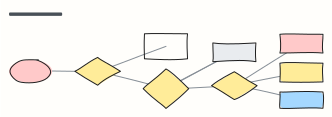
Decide what happens to every incoming bug report: reproduce, size the impact, then schedule.
 Incident response
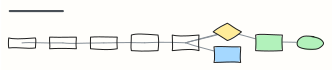
Detect, triage, mitigate, communicate, resolve and learn — an on-call runbook in one view.
 Employee onboarding process
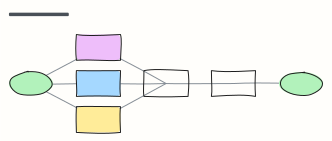
From signed offer to first-week check-in: what HR, IT and the manager each do, in order.