AI guardrails & risk register template
Input and output guardrails around an LLM call, with a risk register for hallucination, injection, leakage and bias.
Use this templateFree, opens in your browser. No sign-up.
What's on the board
Table columns: Risk, Example, Likelihood, Impact, Mitigation, Owner.
- Refuse politely + log
- Fallback answer or human review
- Input guardrails: PII redaction, injection + topic checks
- Output guardrails: toxicity, grounding, PII
- Safe?
- Pass?
- User input
- LLM call with system prompt + grounded context
- Response to user
How to use this template
- Click Use this template. It opens in the Kelvo app as a new board, saved in your browser.
- Double-click any box to change its text. Replace the examples with your own content.
- Sketch, then convert. Draw boxes and arrows with the pen, select the strokes and click Convert sketch: they become real boxes and links.
- Ask Kelvo right on the board (Pro). With Pro, type @kelvo and what you want in any box or text, for example “@kelvo add error handling”, and press Enter. The change is made there and the request disappears; ⌘Z undoes it.
- Keep the prompt next to the diagram. Add a code block from the Insert (+) menu for prompts, schemas or config, right beside the boxes they belong to.
Good for
- ai
- llm
- safety
- risk
- governance
- Explaining an LLM feature's architecture to engineers and stakeholders
- Deciding between prompting, retrieval and fine-tuning
- Planning evaluations and risks before launch
Related templates
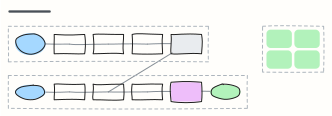 RAG pipeline
Retrieval-augmented generation end to end: ingest and embed documents offline, then retrieve, rerank and answer with citations.
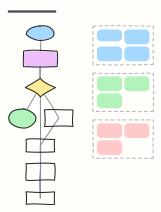 LLM agent loop
How a tool-using agent plans, calls tools, observes results and updates memory until the goal is met, with guardrails.
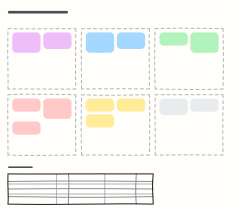 Prompt design canvas
Design a production prompt piece by piece — role, context, task, constraints, examples, output format — plus test cases.
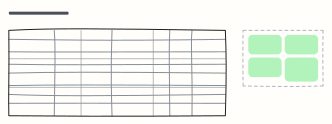 Model evaluation plan
Metrics, datasets, targets and owners for evaluating an LLM or ML model, plus the gate a release must pass.
 Decision log
Record what was decided, why, who owns it and its status, so decisions don't get re-litigated.
 Board meeting agenda
A timed board of directors agenda with presenters, purpose and pre-reads, plus resolutions and attendance.
All ai and machine learning diagram templates · All templates