Invoice processing (accounts payable) template
Supplier invoice to payment: capture, duplicate check, three-way match, approval and the payment run.
Use this templateFree, opens in your browser. No sign-up.
What's on the board
- Controls
- Vendor bank changes verified by phone · Approval limits by role in the ERP · No one both creates vendors and pays them · Take early-payment discounts (2/10 net 30)
Also on the board
- Post to ledger: GL code, cost centre
- Budget owner approves
- Reject and notify vendor
- Invoice received (email, EDI, portal)
- Capture: OCR + check vendor, tax and bank details
- Paid + remittance sent
- Duplicate?
- Pay in the next run (net 30)
- PO, receipt and invoice match (±2%)?
- Has a PO?
- Resolve discrepancy with buyer or vendor
How to use this template
- Click Use this template. It opens in the Kelvo app as a new board, saved in your browser.
- Double-click any box to change its text. Replace the examples with your own content.
- Add the next step with Tab. Select a box and press Tab: a new box appears, already linked. Type its label and press Enter.
- Decisions get both branches. A decision diamond is offered a “yes” and a “no” branch for any it's missing, on your device and instantly.
- Catch gaps. Orange badges flag a decision with only one branch, a box that isn't connected, or two boxes with the same label, with a one-click fix.
Good for
- accounts payable
- invoice
- finance
- three-way match
- Documenting how work actually moves between people and systems
- Spotting missing branches, loops and hand-offs before they cause problems
- Onboarding someone to a process in one picture
Related templates
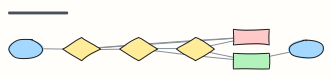 Approval workflow
A request moves through manager and finance approval, with rejection and rework loops.
 Purchase request (procurement)
Budget check, vendor selection, purchase order and invoice matching.
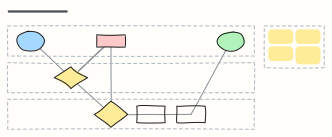 Expense reimbursement
An expense claim across Employee, Manager and Finance lanes: approval, receipt checks, rework and payout.
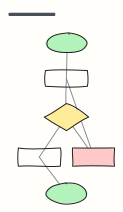 Basic flowchart
Start, steps, a decision with yes/no branches, and an end — the classic shape to build from.
 Support ticket escalation
How a support ticket moves from first response to tier 2, engineering, and resolution.
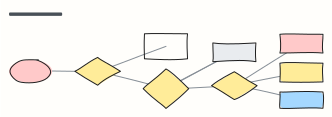 Bug triage
Decide what happens to every incoming bug report: reproduce, size the impact, then schedule.