Offboarding checklist template
Everything to do when someone leaves, from resignation to after their last day, plus the access to revoke and exit questions.
Use this templateFree, opens in your browser. No sign-up.
What's on the board
- On resignation
- ☐ Accept the resignation in writing · ☐ Confirm last day and notice · ☐ Agree how to tell the team · ☐ Start a handover plan
- During notice
- ☐ Handover doc for each project · ☐ Introduce clients to the new owner · ☐ Book the exit interview · ☐ Calculate final pay and unused leave
- Last day
- ☐ Collect laptop, badge and keys · ☐ Revoke access at 17:00 · ☐ Farewell and thank-you card · ☐ Forward email to manager for 30 days
- After leaving
- ☐ Send final payslip and tax forms · ☐ Remove from payroll and benefits · ☐ Invite to the alumni network · ☐ Review exit interview themes
- Exit interview questions
- What made you start looking? · What did we do well? · What would have made you stay? · Would you come back one day?
Table columns: Access to revoke, Owner, When, Done.
How to use this template
- Click Use this template. It opens in the Kelvo app as a new board, saved in your browser.
- Double-click any box to change its text. Replace the examples with your own content.
- Add the next step with Tab. Select a box and press Tab: a new box appears, already linked. Type its label and press Enter.
- Paste a table. Paste comma- or tab-separated text and it becomes a table. Tab moves to the next cell and adds rows as you go.
- Add notes fast. Press S for a sticky note in the middle of your view. A sticky is a box like any other: link it, recolour it, resize it.
Good for
- offboarding
- checklist
- exit interview
- hr
- Planning a new hire's first three months
- Making hiring and promotion criteria explicit
- Seeing team structure and skills at a glance
Related templates
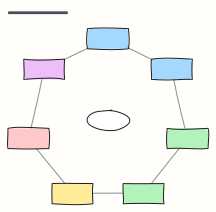 Employee lifecycle
The seven stages of the employee journey, from attracting talent to alumni, with what HR does at each.
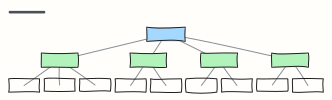 Org chart
A company org chart from CEO to teams — rename the boxes, Tab adds a report.
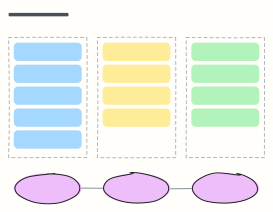 30-60-90 day plan
A new hire's first three months: learn, contribute, own — with a check-in at the end of each phase.
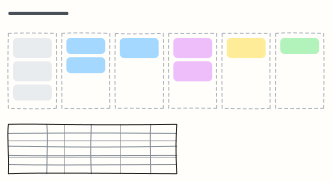 Hiring pipeline
Track candidates from sourcing to hire, one column per stage, with owners and time limits for each stage.
 Employee onboarding process
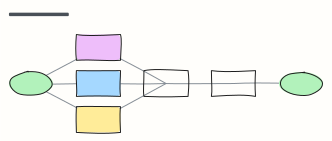
From signed offer to first-week check-in: what HR, IT and the manager each do, in order.
 Leave request approval
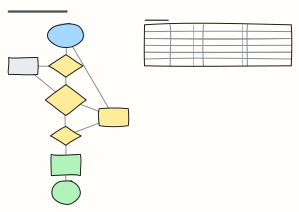
Check balance and team cover, get the manager's decision and update payroll — plus notice rules by leave type.