Hiring pipeline template
Track candidates from sourcing to hire, one column per stage, with owners and time limits for each stage.
Use this templateFree, opens in your browser. No sign-up.
What's on the board
- Sourced
- Candidate A Referral, strong Go · Candidate B LinkedIn outreach · Candidate C Applied via site
- Recruiter screen
- Candidate D Screen Tue 14:00 · Candidate E Salary fit OK
- Hiring manager
- Candidate F Great system design
- Interview loop
- Candidate G Loop Thu, 4 interviews · Candidate H Awaiting feedback
- Offer
- Candidate I Offer sent, reply by Fri
- Hired
- Candidate J Starts 1 Dec
Table columns: Stage, Owner, Goal, Time limit.
How to use this template
- Click Use this template. It opens in the Kelvo app as a new board, saved in your browser.
- Double-click any box to change its text. Replace the examples with your own content.
- Add the next step with Tab. Select a box and press Tab: a new box appears, already linked. Type its label and press Enter.
- Paste a table. Paste comma- or tab-separated text and it becomes a table. Tab moves to the next cell and adds rows as you go.
- Add notes fast. Press S for a sticky note in the middle of your view. A sticky is a box like any other: link it, recolour it, resize it.
Good for
- hiring
- recruiting
- candidates
- pipeline
- Planning a new hire's first three months
- Making hiring and promotion criteria explicit
- Seeing team structure and skills at a glance
Related templates
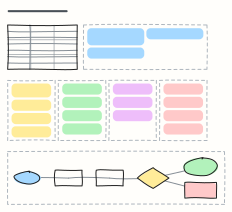 Job description builder
Draft a job description section by section, from role summary to benefits, then take it through review to publishing.
 Interview scorecard
Score candidates on the same competencies with clear signals, questions and a 1–4 scale, then decide.
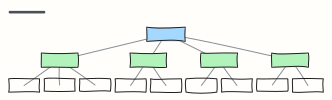 Org chart
A company org chart from CEO to teams — rename the boxes, Tab adds a report.
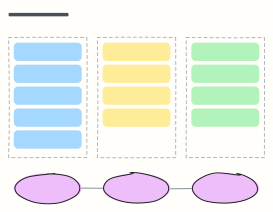 30-60-90 day plan
A new hire's first three months: learn, contribute, own — with a check-in at the end of each phase.
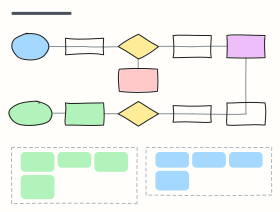 CI/CD pipeline with quality gates
From pull request to production: build, tests, security scans, staging, approval and canary release, with the gates in between.
 Sales pipeline
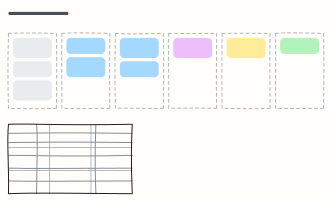
Deals moving from lead to closed-won, one column per stage, with exit criteria for each stage.