Project closure report template
Close a project properly: planned vs actual, deliverables handed over, open items, lessons and sign-off.
Use this templateFree, opens in your browser. No sign-up.
What's on the board
- Deliverables handed over
- ☑ Portal in production · ☑ Runbook to IT support · ☑ Admin training (14 people) · ☑ Code and docs in the repo
- Open items → support backlog
- Bulk import (phase 2) · Slow PDF export in Safari
- Top lessons
- Book the security review at kickoff · Dry-run the data migration early
Table 1 columns: Measure, Planned, Actual, Comment.
Table 2 columns: Role, Name, Signed, Date.
Also on the board
- Onboarding portal went live on Jun 9, one week late and 4% under budget. Time to…
- Planned vs actual
- Sign-off
How to use this template
- Click Use this template. It opens in the Kelvo app as a new board, saved in your browser.
- Double-click any box to change its text. Replace the examples with your own content.
- Paste a table. Paste comma- or tab-separated text and it becomes a table. Tab moves to the next cell and adds rows as you go.
- Add the next step with Tab. Select a box and press Tab: a new box appears, already linked. Type its label and press Enter.
- Present it. Frames become slides when you present, and the laser pointer helps you walk people through the board.
Good for
- project closure
- closeout
- final report
- handover
- project manager
- Kicking off a project with shared scope and roles
- Tracking risks and milestones in one place
- Reporting status to stakeholders
Related templates
 Lessons learned
A project post-mortem: what went well, what didn't, what we'd do differently, and recommendations for next time.
 Gantt chart (project timeline)
Tasks as bars across ten weeks, coloured by phase, with the launch milestone — a quick project schedule.
 Project charter
Purpose, objectives, scope in and out, deliverables, milestones, budget, team and risks — the one page to approve a project.
 RACI matrix
Who is Responsible, Accountable, Consulted and Informed for each activity — ends the 'I thought you were doing it'.
 Risk register
Each risk with likelihood, impact, score, mitigation, owner and status, sorted so the biggest risks get attention.
 Work breakdown structure (WBS)
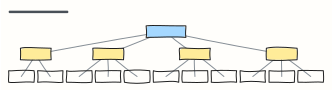
Break a project into phases and work packages small enough to estimate, assign and track.