Reverse brainstorming template
Ask how to make a problem worse, list the worst ideas, then flip each one into a solution worth trying.
Use this templateFree, opens in your browser. No sign-up.
What's on the board
- 1 · Ways to make it worse
- Ask for a credit card on step 1 · A 12-field sign-up form · An empty dashboard with no hints · Send 5 emails on day one · Hide the help chat · Force a tour you can't skip
- 2 · Flipped into solutions
- Let people explore before any payment details · Sign up with email only, ask the rest later · Start with a sample project and a checklist · One welcome email, then nudges based on usage · Live chat visible during setup · A 3-step tour you can close any time
Also on the board
- Problem: how might we get more new users to finish onboarding?
- Reversed: how could we make sure nobody ever finishes onboarding?
- Test first: sample project + email-only sign-up
How to use this template
- Click Use this template. It opens in the Kelvo app as a new board, saved in your browser.
- Double-click any box to change its text. Replace the examples with your own content.
- Grow branches. On a mind map, Tab adds a branch and ⌘↵ adds a sibling. Branches arrange themselves on both sides of the centre.
- Add notes fast. Press S for a sticky note in the middle of your view. A sticky is a box like any other: link it, recolour it, resize it.
- Let Smart Assist draft the next step. Turn on Suggest, finish a label and pause: the next steps appear as dashed ghosts. Tab keeps them, Esc dismisses them.
Good for
- reverse brainstorming
- ideation
- problem solving
- creative thinking
- Getting many ideas out quickly, then grouping them
- Reframing a problem before jumping to solutions
- Choosing which ideas to pursue
Related templates
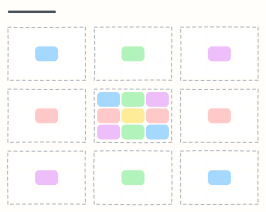 Lotus blossom
Grow one central theme into 8 sub-themes and 64 ideas, each sub-theme becoming the centre of its own petal.
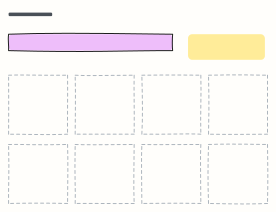 Crazy 8s
Sketch eight different ideas in eight minutes, one per frame, to get past the obvious first idea.
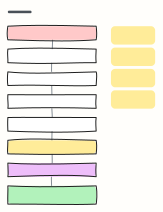 5 whys
Ask “why?” five times to dig past the symptom of a problem to a root cause you can actually fix.
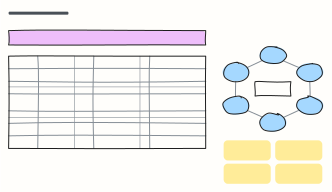 Brainwriting 6-3-5
Six people write three ideas each in five minutes, then pass the sheet on, building 108 ideas in 30 minutes.
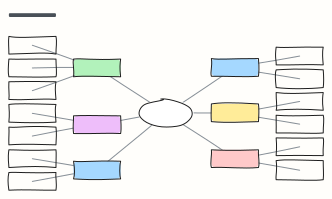 Mind map
A balanced mind map that keeps arranging itself as you add branches (Tab adds a branch).
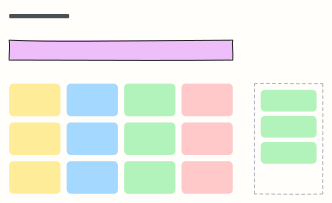 Brainstorm board
One question, a wall of idea stickies, and a spot for the top picks after dot voting.