User storyboard template
Tell a user's story in six panels, each a quick sketch and a caption, to share a scenario or a new idea.
Use this templateFree, opens in your browser. No sign-up.
What's on the board
- 1 · Sunday, 6 pm
- Sketch: Ana looks into a nearly empty fridge, kids at the table · Dinner in 30 min and nothing to cook. No time to go to the shop.
- 2 · The app
- Sketch: phone screen with “Reorder last week's basket” · She reorders last week's basket in two taps and picks a 7 pm slot.
- 3 · A swap
- Sketch: lock-screen message “Oat milk is out, swap brand?” · She approves the substitution from the lock screen without opening the app.
- 4 · Delivery
- Sketch: courier at the door, live map on her phone · The courier arrives at 7:05, and the map showed him the whole way.
- 5 · Something's missing
- Sketch: Ana unpacking bags, one item crossed out · The pasta is missing. She reports it in the app with one photo.
- 6 · Sorted
- Sketch: family at dinner, refund notice on the phone · Refund arrives instantly. She feels in control and rates the order 5 stars.
- What the story tells us
- Reorder must take 2 taps · Swaps need instant approval · Missing items: refund without a call
How to use this template
- Click Use this template. It opens in the Kelvo app as a new board, saved in your browser.
- Double-click any box to change its text. Replace the examples with your own content.
- Sketch, then convert. Draw boxes and arrows with the pen, select the strokes and click Convert sketch: they become real boxes and links.
- Add notes fast. Press S for a sticky note in the middle of your view. A sticky is a box like any other: link it, recolour it, resize it.
- Link by dragging. Hover a box and drag one of its dots onto another box. The whole box is the target, and links stay attached when you move things.
Good for
- storyboard
- user story
- scenario
- design thinking
- Synthesising research into personas and journeys
- Mapping a user flow before designing screens
- Planning and reporting a usability test
Related templates
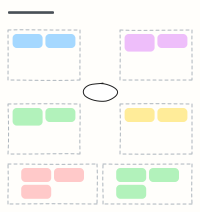 Empathy map
Capture what a user says, thinks, does and feels, plus their pains and gains, after interviews.
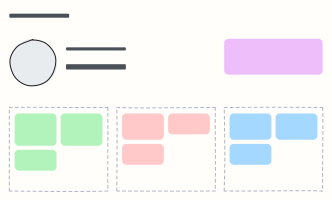 User persona
A one-page portrait of a key user: who they are, what they want, what gets in their way.
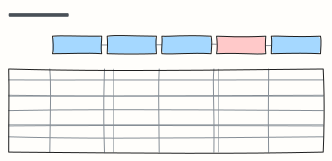 Customer journey map
Follow a customer through each stage: what they do, where, what they think and feel, and where to improve.
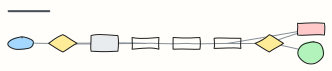 Checkout user flow
Every screen and decision from cart to order confirmation, including guest checkout and payment errors.
 User story template
Write a story as who, what and why, with details, Given/When/Then acceptance criteria and an INVEST check.
 How might we
Turn research insights into “How might we…” questions, then into ideas worth testing.