Card sorting results template
Run an open card sort, see the groups people made, and spot the cards nobody agrees on before you fix the navigation.
Use this templateFree, opens in your browser. No sign-up.
What's on the board
- Pay & benefits
- Payslips · Pension plan · Expense claims · Bike-to-work scheme
- Time off
- Book holiday · Sick leave policy · Public holidays 2027
- IT help
- Reset password · Order a laptop · VPN setup
- Working here
- Office floor plans · Parking · Org chart · New joiner checklist
- Didn't fit anywhere
- Travel policy · Code of conduct
Table columns: Card, Most common group, Agreement.
Also on the board
- Open sort · 15 employees · 32 cards · 20 min each, remote
- Under 50% agreement: the card needs a clearer name or a home in two places
- Next: tree test the new nav with 30 people
How to use this template
- Click Use this template. It opens in the Kelvo app as a new board, saved in your browser.
- Double-click any box to change its text. Replace the examples with your own content.
- Sketch, then convert. Draw boxes and arrows with the pen, select the strokes and click Convert sketch: they become real boxes and links.
- Add notes fast. Press S for a sticky note in the middle of your view. A sticky is a box like any other: link it, recolour it, resize it.
- Link by dragging. Hover a box and drag one of its dots onto another box. The whole box is the target, and links stay attached when you move things.
Good for
- card sorting
- information architecture
- navigation
- ux research
- Synthesising research into personas and journeys
- Mapping a user flow before designing screens
- Planning and reporting a usability test
Related templates
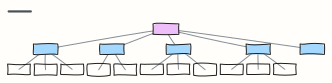 Website sitemap
The page hierarchy of a marketing site, from home to every section and sub-page.
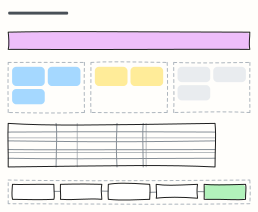 UX research plan
Agree the goal, questions, methods, participants and timeline of a research study before anyone books a session.
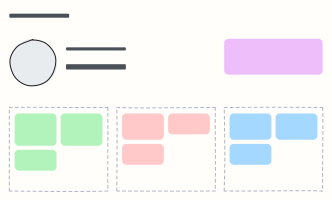 User persona
A one-page portrait of a key user: who they are, what they want, what gets in their way.
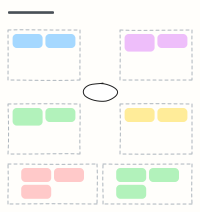 Empathy map
Capture what a user says, thinks, does and feels, plus their pains and gains, after interviews.
 Customer journey map
Follow a customer through each stage: what they do, where, what they think and feel, and where to improve.
 Checkout user flow
Every screen and decision from cart to order confirmation, including guest checkout and payment errors.