Content calendar template
Plan a month of content across blog, newsletter and social, with themes, owners and content pillars.
Use this templateFree, opens in your browser. No sign-up.
What is a content calendar?
A content calendar is a schedule of what you'll publish, where and when, with an owner for each piece. It turns “we should post more” into a plan: a theme for each week, the channels each piece goes to and who writes it. It also shows gaps and overloaded weeks before they happen.
This template covers a month in a table with one row per week and columns for theme, blog, newsletter, LinkedIn, Instagram and owner. Next to it are four content pillars (education, proof, product and culture) to keep the mix balanced, and a short checklist for before publishing: CTA and UTM links, alt text, a second proofreader and scheduling.
What's on the board
- Content pillars
- Education: how-tos and tips · Proof: customer stories and results · Product: launches and updates · Culture: team and behind the scenes
- Before publishing
- Clear CTA and UTM links · Alt text on images · Proofread by a 2nd person · Scheduled in the tool
Table columns: Week, Theme, Blog, Newsletter, LinkedIn, Instagram, Owner.
How to fill in the content calendar template
- Click Use this template. It opens in the Kelvo app as a new board, saved in your browser. Double-click any box to change its text.
- Set your content pillars. Keep three to five recurring themes your audience cares about. Education, proof, product and culture, as on the board, are a good default.
- Give each week a theme. Tie each row to a launch, an event or a pillar, so every channel tells the same story that week.
- Fill in the channels. Write a working title in each channel's column. Reuse one idea across channels: a blog post becomes a newsletter section and two social posts.
- Assign owners and dates. Put one name in the Owner column, and add publishing days when more than one piece goes out in a week.
- Check, publish, review. Run each piece through the before-publishing list, then look at what performed at the end of the month and plan the next one.
When to use it
- Planning a month or a quarter of content for a blog, a newsletter and social channels
- Several people contribute and need to know who's writing what
- Lining content up with launches, events and seasonal dates
When to skip it
- For scheduling dozens of individual social posts a day: use a scheduling tool for that and this board for the plan
- For one-off pieces with no regular rhythm
Working on a marketing board in Kelvo
- Paste a table
- Paste comma- or tab-separated text and it becomes a table. Tab moves to the next cell and adds rows as you go.
- Add notes fast
- Press S for a sticky note in the middle of your view. A sticky is a box like any other: link it, recolour it, resize it.
Questions
What should a content calendar include?
For each piece: the publishing date or week, the channel, a working title, its theme or pillar, the owner and its status. Many teams also note the call to action and campaign links (UTMs) so they can measure results.
What are content pillars?
Content pillars are the three to five recurring themes your content is built around, such as education, customer proof, product news and culture. Tagging every piece with a pillar keeps the mix balanced, so you don't publish only announcements.
How far ahead should you plan content?
A month in detail and a quarter in outline suits most teams: enough to prepare for launches and events, but short enough to react to news and to what performed well.
Related templates
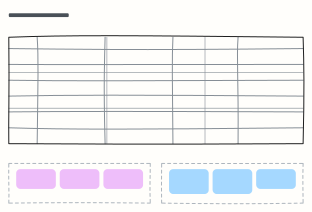 Social media calendar
A week of posts per platform with formats and posting times, plus recurring series and the numbers to log every Friday.
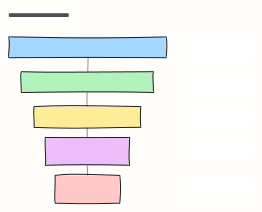 Marketing funnel (AARRR)
The pirate-metrics funnel: Acquisition, Activation, Retention, Referral, Revenue, each with the metric to watch.
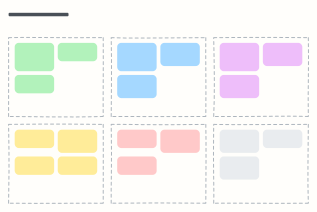 Campaign plan
One page for a marketing campaign: goal, audience, message, channels, budget and how you'll measure it.
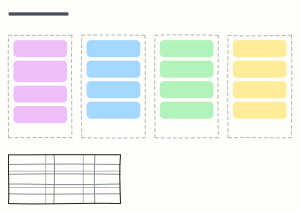 Go-to-market plan
Positioning, pre-launch, launch week and the first 90 days, with the metrics that define success.
 Sales pipeline
Deals moving from lead to closed-won, one column per stage, with exit criteria for each stage.
 Content publishing workflow
Idea to published post: draft, edit, review, schedule, promote, with a revision loop.