CQRS + event sourcing template
Separate write and read paths: commands append events to an event store, projectors build read models for queries.
Use this templateFree, opens in your browser. No sign-up.
What are CQRS and event sourcing?
CQRS (Command Query Responsibility Segregation) splits a system into a write side that handles commands and a read side that answers queries, each with its own model. Event sourcing stores every change as an immutable event in an append-only log and derives the current state by replaying those events, instead of overwriting rows.
The two are often used together, and that's what this template shows. A client sends a command such as PlaceOrder; the command handler loads the Order aggregate, which enforces the business rules and appends events to the event store. On the read side, a projector turns those events into denormalised read models that a query API serves to the UI. Notes on the board cover the trade-offs: eventual consistency, rebuilding views by replay, and snapshots.
What's on the board
- Write side (commands)
- Command handler: validate, load aggregate · Order aggregate: enforce rules, emit events · Client · Command: PlaceOrder · Event store (append-only)
- Read side (queries)
- Read models: order list, dashboards (denormalized) · Projector: update views from events · Client (UI) · Query API
- Notes
- Read models are eventually consistent (ms to s) · Rebuild any view by replaying events · Snapshot aggregates every ~100 events · Worth it when reads ≫ writes or you need a full audit trail
How to fill in the CQRS + event sourcing template
- Click Use this template. It opens in the Kelvo app as a new board, saved in your browser. Double-click any box to change its text.
- Rename the aggregate and command. Swap Order and PlaceOrder for your own domain, such as Account and OpenAccount, and add a command for each action users can take.
- List the events. Next to the event store, write the past-tense events each command produces (OrderPlaced, OrderShipped). They're your source of truth, so name them carefully.
- Design read models from the screens. Add a read model box for each screen or query that needs its own shape, and link it from the projector.
- Mark where data can be stale. Note where users might briefly see old data after a write, and how the UI handles it, for example by showing the result of the command straight away.
- Record the decision. If you adopt the pattern, write down why in an architecture decision record, so the next team knows the trade-off was deliberate.
When to use it
- Reads far outnumber writes, or need very different shapes (lists, dashboards, search, reports)
- You need a complete history of every change, as in payments, ordering or compliance
- Explaining an event-driven design to engineers who are new to it
- Deciding which read models a new feature needs
When to skip it
- Simple CRUD applications, where one model for reading and writing is easier to build and reason about
- When users must always read their own write immediately and you can't design around a short delay
Working on an architecture diagram in Kelvo
- Sketch, then convert
- Draw boxes and arrows with the pen, select the strokes and click Convert sketch: they become real boxes and links.
- Ask Kelvo right on the board (Pro)
- With Pro, type @kelvo and what you want in any box or text, for example “@kelvo add error handling”, and press Enter. The change is made there and the request disappears; ⌘Z undoes it.
Questions
Do you need event sourcing to use CQRS?
No. CQRS only means separate models for writes and reads; the write side can be an ordinary database. Event sourcing pairs well with it because events are a natural feed for building read models, but either works without the other.
What is a projection in event sourcing?
A projection (built by a projector) reads the event stream and maintains a view for queries, such as an order list or a dashboard table. Because every event is kept, you can delete a projection and rebuild it from scratch by replaying the events.
Why snapshot aggregates?
Loading an aggregate means replaying its events. Once an aggregate has hundreds of them, saving a snapshot of its state every so often (the template suggests about every 100 events) means you only replay the events since the last snapshot.
What are the downsides of CQRS and event sourcing?
More moving parts, eventual consistency between writes and reads, stored events whose format is hard to change, and a steeper learning curve for the team. They pay off for complex domains with heavy reads or audit requirements, not for simple CRUD.
Related templates
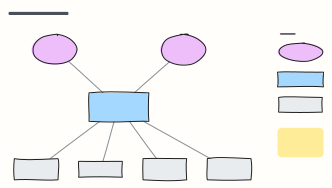 C4 system context diagram
C4 level 1: the system in scope, the people who use it and the external systems it depends on, with a legend.
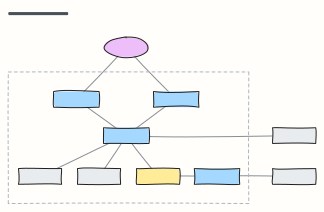 C4 container diagram
C4 level 2: the apps, APIs, databases and queues inside the system boundary, with the technology on each link.
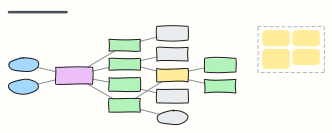 Microservices with API gateway
Clients behind an API gateway, services that each own their database, and an event bus for asynchronous work.
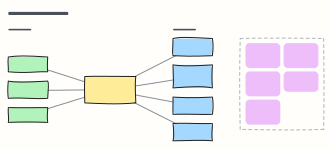 Event-driven architecture
Producers publish facts to a broker; independent consumers react — with the design rules that keep it reliable.
 LLM application architecture
Production building blocks around a model: gateway, guardrails, orchestrator, cache, vector DB, tools and observability.
 LLM agent loop
How a tool-using agent plans, calls tools, observes results and updates memory until the goal is met, with guardrails.