LLM fine-tuning workflow template
Fine-tune a model step by step: define the task, build a clean dataset, train a LoRA adapter, evaluate against the baseline and ship.
Use this templateFree, opens in your browser. No sign-up.
What's on the board
- Dataset checklist
- Examples look like real production inputs · Outputs written or approved by experts · Test set never seen in training · Version data + config with every run
Table columns: Setting, Start with, Why.
Also on the board
- Define the task + baseline eval (prompted model)
- Collect 3,000 input → output examples
- Clean: dedupe, strip PII, fix bad labels
- Split 80 / 10 / 10: train, val, test
- Beats baseline?
- Train a LoRA adapter on the base model
- Add hard examples, fix label noise
- Evaluate on the held-out test set
- Deploy behind a flag, A/B vs baseline
- Starting hyperparameters
How to use this template
- Click Use this template. It opens in the Kelvo app as a new board, saved in your browser.
- Double-click any box to change its text. Replace the examples with your own content.
- Sketch, then convert. Draw boxes and arrows with the pen, select the strokes and click Convert sketch: they become real boxes and links.
- Ask Kelvo right on the board (Pro). With Pro, type @kelvo and what you want in any box or text, for example “@kelvo add error handling”, and press Enter. The change is made there and the request disappears; ⌘Z undoes it.
- Keep the prompt next to the diagram. Add a code block from the Insert (+) menu for prompts, schemas or config, right beside the boxes they belong to.
Good for
- ai
- llm
- fine-tuning
- lora
- training
- Explaining an LLM feature's architecture to engineers and stakeholders
- Deciding between prompting, retrieval and fine-tuning
- Planning evaluations and risks before launch
Related templates
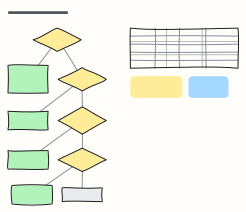 Prompting vs RAG vs fine-tuning
A decision tree for choosing prompt engineering, RAG, fine-tuning or an agent, with a cost and speed comparison.
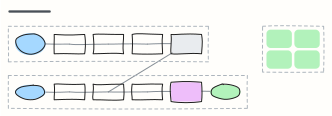 RAG pipeline
Retrieval-augmented generation end to end: ingest and embed documents offline, then retrieve, rerank and answer with citations.
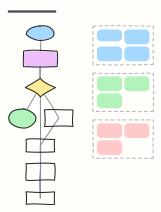 LLM agent loop
How a tool-using agent plans, calls tools, observes results and updates memory until the goal is met, with guardrails.
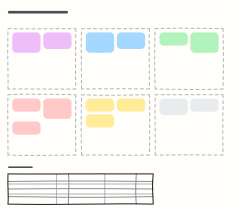 Prompt design canvas
Design a production prompt piece by piece — role, context, task, constraints, examples, output format — plus test cases.
 Model evaluation plan
Metrics, datasets, targets and owners for evaluating an LLM or ML model, plus the gate a release must pass.
 Skills matrix
Who knows what on the team, rated 1–4, so you can spot single points of failure and plan training.
All ai and machine learning diagram templates · All templates