Strangler fig migration template
Replace a legacy monolith slice by slice behind a routing facade, in three phases, with a tracker for each slice.
Use this templateFree, opens in your browser. No sign-up.
What is the strangler fig pattern?
The strangler fig pattern replaces a legacy system gradually instead of in one big rewrite. You put a routing facade, such as an API gateway or a proxy, in front of the old system, then move one slice of functionality at a time into new services and point the facade at each one as it's ready. When nothing routes to the legacy system any more, you switch it off. Martin Fowler named it after the strangler fig, a vine that grows around a host tree until it replaces it.
The template draws the three phases side by side: a facade in front of the monolith; catalog and search carved out while billing and reports stay put; and the monolith retired. A tracker table lists each slice with its route, status and target, and the tips cover choosing the first slice, syncing data with change data capture and keeping a rollback route.
What's on the board
- Phase 1: put a facade in front
- Clients · Legacy monolith: catalog, search, billing, reports · Routing facade (API gateway / proxy)
- Phase 2: carve out slices
- Clients · Monolith: billing, reports · Catalog service (new) · Routing facade (API gateway / proxy) · Search service (new)
- Phase 3: retire the monolith
- Clients · Catalog service · Search service · Routing facade (API gateway / proxy) · Billing service · Reports service
- Tips
- Start with a low-risk slice that changes often · Sync data with change data capture during the move · Keep a one-line rollback route in the facade · Delete monolith code as each slice goes live
Table columns: Slice, Route, Status, Target.
How to fill in the strangler fig migration template
- Click Use this template. It opens in the Kelvo app as a new board, saved in your browser. Double-click any box to change its text.
- Map your monolith's slices. Rename catalog, search, billing and reports to your own modules, and add a row for each slice to the tracker table.
- Choose the first slice. Pick one that's low risk but changes often, so the team learns the new setup on work it would be doing anyway.
- Write down the routes. In the Route column, note which paths or messages the facade sends to the new service for each slice.
- Plan the data, then cut over. Decide how data stays in sync during the move, for example change data capture from the old database, and keep a one-line rollback route for every slice.
- Delete as you go. When a slice is live, remove its code from the monolith and update the Status column. Phase 3 is done when the facade sends nothing to the old system.
When to use it
- Modernising a monolith that's too large or too risky to rewrite at once
- Moving to new services or a new platform while the old system keeps serving customers
- Planning a migration and reporting progress slice by slice
When to skip it
- Small systems that can be rewritten in weeks rather than quarters
- Systems where you can't put a facade in front of the traffic, such as some batch jobs
Working on an architecture diagram in Kelvo
- Sketch, then convert
- Draw boxes and arrows with the pen, select the strokes and click Convert sketch: they become real boxes and links.
- Ask Kelvo right on the board (Pro)
- With Pro, type @kelvo and what you want in any box or text, for example “@kelvo add error handling”, and press Enter. The change is made there and the request disappears; ⌘Z undoes it.
Questions
Why is it called the strangler fig pattern?
Martin Fowler named it in 2004 after strangler figs, which grow around a host tree and gradually replace it. The new system grows around the old one in the same way, until the old one can be removed.
Strangler fig or a big-bang rewrite: which is safer?
Usually the strangler fig. Each slice ships and can be rolled back on its own, the old system keeps working throughout, and you deliver value during the migration instead of only at the end. A rewrite can still be quicker for small systems.
How do you handle data during the migration?
Common approaches are change data capture from the legacy database into the new service's store, dual writes for a transition period, or letting the new service call the legacy one until its data has moved. Choose one per slice and check that the data matches before cutting over.
Related templates
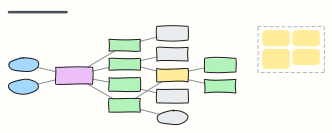 Microservices with API gateway
Clients behind an API gateway, services that each own their database, and an event bus for asynchronous work.
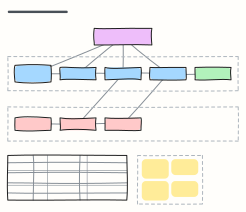 Saga pattern (distributed transactions)
An orchestrated saga: local transactions across services, the compensating steps that undo them, and orchestration vs choreography.
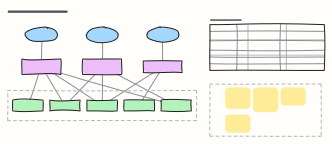 Backend for frontend (BFF)
One backend per client experience: web, mobile and partner APIs that aggregate shared services, with what each BFF owns.
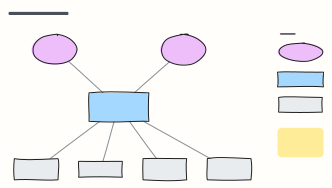 C4 system context diagram
C4 level 1: the system in scope, the people who use it and the external systems it depends on, with a legend.
 LLM application architecture
Production building blocks around a model: gateway, guardrails, orchestrator, cache, vector DB, tools and observability.
 Service mesh overview (Istio)
How a service mesh works: sidecar proxies beside every pod, mTLS between services, and a control plane pushing config and certs.